
RTX 4070 Valorant FPS Benchmark Results at 1080p & 1440p (2026)
Valorant is CPU-bound on modern GPUs. The RTX 4070 produces far more frames than Valorant needs at GPU level the CPU, RAM speed, and game settings are what determine your actual frame rate.
I share with you real FPS numbers, explains what is actually limiting your frames, and tells you the settings that matter versus the ones that don’t.
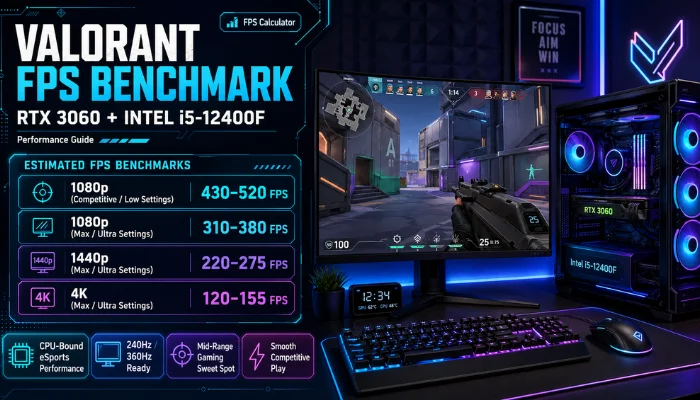
RTX 4070 Valorant FPS Benchmark Table
| Resolution | Settings | Avg FPS | 1% Low FPS |
| 1080p | Low (competitive) | 375 | 328 |
| 1080p | Medium | 320 | 270 |
| 1080p | High | 280 | 230 |
| 1440p | Low (competitive) | 260 | 210 |
| 1440p | Medium | 230 | 185 |
| 1440p | High | 195 | 155 |
| 4K | Low | 130 | 100 |
1080p competitive benchmark: RTX 4070 + i9-14900KF, 32GB RAM. GPU at 54°C, CPU at 62°C. Source: HowManyFPS community benchmark data.
Key finding: At 1080p competitive settings, the RTX 4070 averages 375 FPS with 1% lows at 328 FPS. No bottleneck detected between the GPU (29% usage) and CPU (29% usage) both are underutilized because Valorant’s engine caps out before either component is stressed.
Why Your RTX 4070 Valorant FPS May Be Lower Than This
Valorant is one of the most CPU-dependent games at high frame rates. At 300+ FPS, the game’s engine hits per-core CPU limits before the GPU is fully loaded.
Common reasons RTX 4070 users see lower FPS:
- CPU is the bottleneck : older CPUs (Core i7-9700K, Ryzen 5 3600) cap Valorant below 200 FPS regardless of your GPU
- Multithreaded Rendering is off :this setting is inside Valorant’s video options. Turning it off halves FPS on all modern CPUs
- RAM running at base speed : if XMP or EXPO is not enabled in BIOS, DDR4 runs at 2133 MHz instead of 3200+ MHz. Memory latency directly affects Valorant frame rates
- Frame limiter active : check in-game settings. Many players accidentally leave a 200 FPS cap active
- Power plan set to Balanced : Windows Balanced power plan throttles CPU frequency between frames, adding 5-15ms latency per frame
RTX 4070 Valorant: What Settings Actually Affect FPS
Valorant’s visual settings have almost no effect on FPS for a GPU at this level. The RTX 4070 is far more powerful than Valorant’s renderer needs.
| Setting | FPS Impact | Recommendation |
| Material Quality | 0-3% difference | Keep at Medium for visibility |
| Texture Quality | 0-2% difference | High no FPS cost |
| Detail Quality | 0-2% difference | Medium |
| UI Quality | 0% | Any setting |
| Vignette | 0% | Off |
| VSync | Significant | Off adds input lag |
| Multithreaded Rendering | Large | Always ON |
| NVIDIA Reflex | Reduces latency | On + Boost |
| Anti-Aliasing | 3-8% | MSAA 4x or FXAA |
| Anisotropic Filtering | 0-1% | 4x or 8x |
| Shadows | 5-10% | Medium or High |
The settings that move your FPS needle in Valorant are not in the graphics menu. They are in your BIOS (XMP/EXPO), Windows power plan, and whether Multithreaded Rendering is on.
RTX 4070 Valorant: Which CPU Pairs Best
Since Valorant is CPU-bound above 200 FPS, CPU choice matters more than GPU choice at this level.
| CPU | Expected Valorant FPS (1080p low) | Bottleneck? |
| Ryzen 5 7600 | 300-340 FPS | Slight CPU limit above 350 |
| Ryzen 7 7800X3D | 380-420 FPS | None , best gaming CPU for this |
| Core i5-13400F | 280-320 FPS | CPU-limited above 300 FPS |
| Core i5-13600K | 340-370 FPS | Minor at very high FPS |
| Core i7-14700F | 370-400 FPS | Balanced |
| Core i9-14900KF | 375+ FPS | No bottleneck , as tested |
If your goal is 360 FPS on a 360Hz monitor, a Ryzen 7 7800X3D is the correct CPU pairing. Without it, most CPUs will cap Valorant before the RTX 4070 is ever stressed.
RTX 4070 Valorant 1440p Is It Worth It?
At 1440p competitive settings, the RTX 4070 averages 260 FPS. For a 240Hz 1440p monitor this is excellent you clear the refresh rate with headroom for 1% lows.
At 1440p Medium settings: 230 FPS average still above 144Hz comfortably.
Verdict: The RTX 4070 is one of the best cards for 1440p Valorant because Valorant’s engine is light enough that even 1440p does not stress it. You get near-1080p frame rates with significantly better visual clarity.
RTX 4070 vs RTX 4060 Ti in Valorant
| GPU | 1080p Competitive FPS | 1440p Competitive FPS |
| RTX 4070 | 375 avg / 328 1% low | 260 avg / 210 1% low |
| RTX 4060 Ti | 300 avg / 250 1% low | 200 avg / 165 1% low |
| Difference | +25% | +30% |
For a 360Hz monitor, the RTX 4070 is the minimum GPU that can consistently feed the display. The RTX 4060 Ti falls short of 360 FPS consistently.
For a 240Hz monitor, both cards clear the target. The RTX 4060 Ti is sufficient.
Frequently Asked Questions
What FPS does the RTX 4070 get in Valorant at 1080p?
At 1080p competitive (low) settings, the RTX 4070 averages 375 FPS with a 1% low of 328 FPS, tested with an i9-14900KF and 32GB RAM.
What FPS does the RTX 4070 get in Valorant at 1440p?
At 1440p competitive settings, the RTX 4070 averages 260 FPS with a 1% low of 210 FPS, comfortably clearing a 240Hz monitor.
Is the RTX 4070 overkill for Valorant?
Not for competitive players targeting high refresh monitors. Valorant is CPU-bound above 200 FPS, so the RTX 4070 mainly ensures you are never GPU-limited, and it lets you run 1440p without sacrificing frame rate.
Why is my RTX 4070 Valorant FPS lower than expected?
The most common causes are a CPU bottleneck, Multithreaded Rendering turned off, slower RAM speeds, an active frame limiter, or a Windows power plan set to Balanced instead of High Performance.
Does NVIDIA Reflex help in Valorant with RTX 4070?
Yes. NVIDIA Reflex reduces system latency and pairs well with the RTX 4070’s high frame rates in Valorant. Enabling Reflex with Boost is recommended for competitive play.
Is RTX 4070 good for Valorant competitive play?
Yes. With 375 FPS average at 1080p and low latency via NVIDIA Reflex, the RTX 4070 comfortably supports competitive play on monitors up to 360Hz when paired with a capable CPU.
Benchmark data referenced from HowManyFPS community results and independent hardware review sources. Updated July 2026.
Use our FPS Calculator | FPS Counter Online | Refresh Rate Test